Setting Up the Canvas
The canvas is the foundation of your set. It defines the overall dimensions and aspect ratio of the final collage output.
Click Select Size in the bottom toolbar to open the canvas size picker.
A frame will appear larger on a smaller canvas and smaller on a larger canvas. Frame dimensions are set as pixels, but their visual size depends on the overall canvas size.
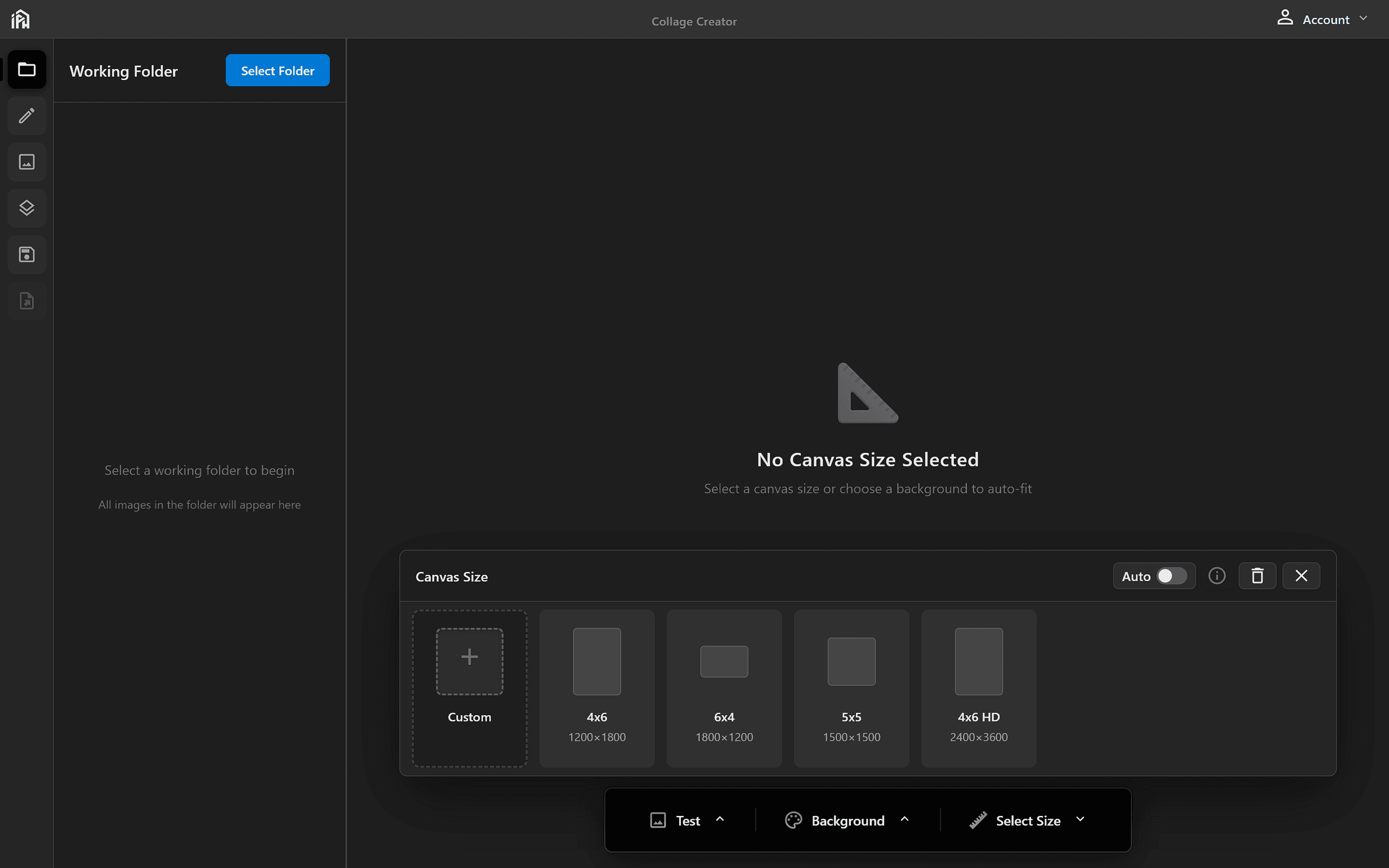
Choose from preset canvas sizes or create a custom one. Toggle <strong>Auto</strong> to automatically match the canvas size to your background image.
Preset sizes
Quick-select from common canvas sizes. Dimensions are shown in pixels below each preset.
Custom canvas sizes
Click Custom to open the custom canvas dialog. Choose from preset templates or enter exact dimensions.
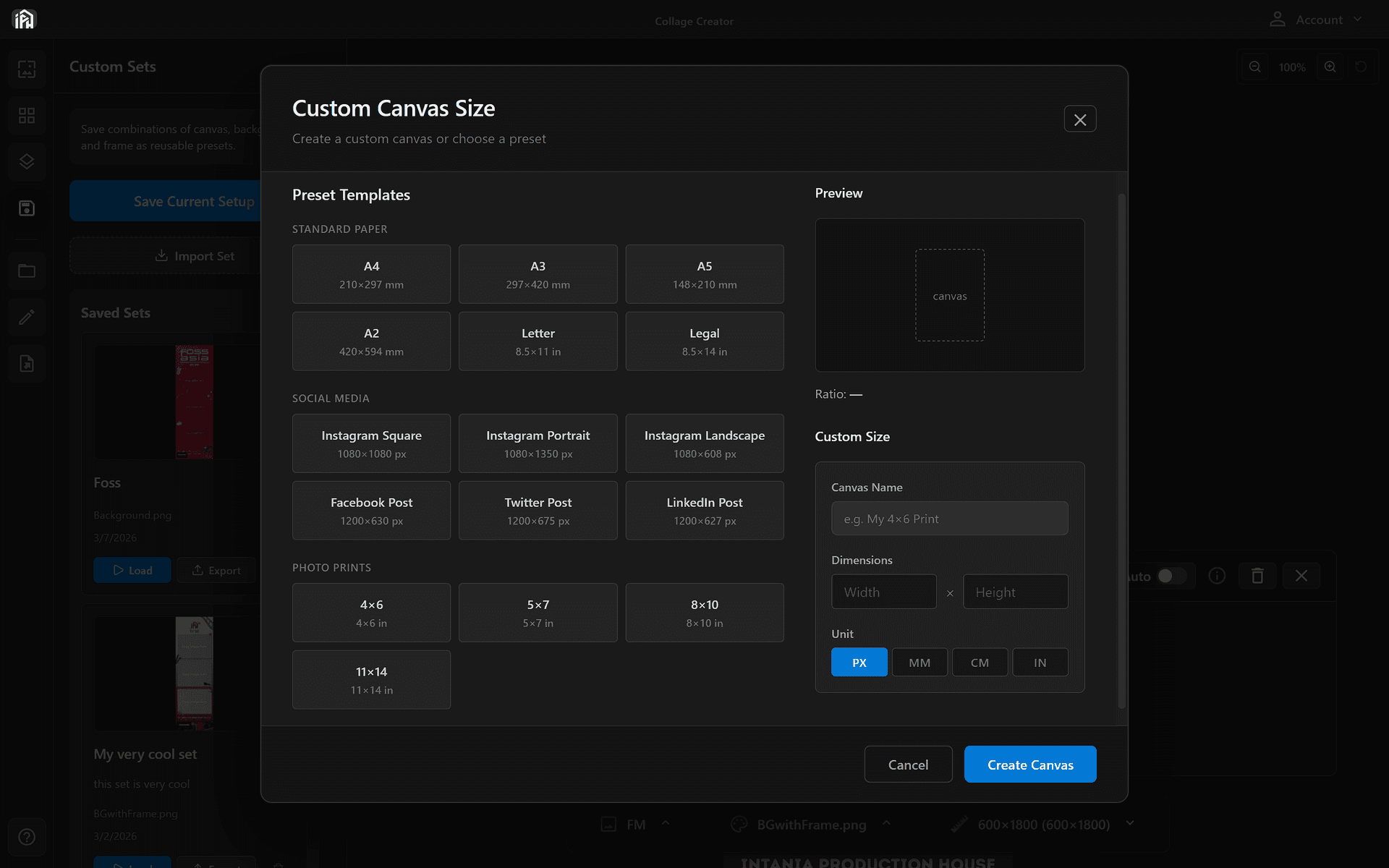
You can also enter a custom name, width, height, and unit (PX, MM, CM, or IN) for full control.
When Auto is enabled, the canvas size automatically adjusts to match your background image dimensions. This eliminates the need for manual sizing — just upload your background and the canvas adapts instantly.
Disable Auto to manually set canvas dimensions independent of your background image.