Print Settings
OptionalConfigure automatic printing of each collage after capture — printer selection, number of copies, and paper size.
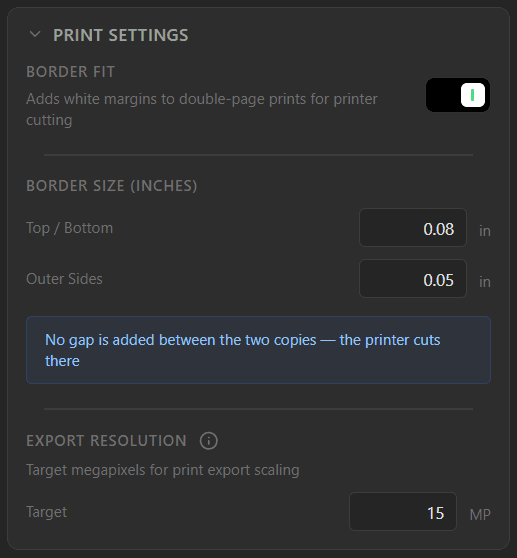
The Print Settings panel — configure margins and export resolution for high-quality prints.
Border Fit
Adds white margins to double-page prints for printer cutting. This setting is useful when printing two images on a single sheet and need extra space to prevent content from being cut off during physical trimming.
Border Size (Inches)
Control the exact margins added to your print:
Top / BottomSets the margin for the upper and lower edges of the print (e.g., 0.08 in).
Outer SidesControls the margin for the left and right exterior edges (e.g., 0.05 in).
Note: No gap is added between the two copies — the printer cuts there. While outer edges have margins, the center where the two pages meet remains seamless.
Export Resolution
Target megapixels for print export scaling. Defines the technical quality of the file being sent to the printer.
TargetSet the export resolution (e.g., 15 MP). The software will scale or render the final image to this megapixel resolution to ensure print clarity.
Resolution tradeoff: Higher megapixel values produce larger, more detailed prints but increase file size.